
Download AirVLC – wireless streaming, media streaming, AirVLC, secure streaming, low-latency playback, desktop application, PC software, Windows, Mac
Overview
AirVLC is a lightweight desktop application designed to enable seamless wireless streaming from a variety of devices directly to a personal computer. The software allows users to transmit audio and video content from smartphones, tablets, or other laptops to their PC without the need for physical cables. Its primary purpose is to simplify media sharing in both personal and professional environments, offering a reliable solution for home entertainment, remote presentations, and collaborative workflows.
The application is developed by AirVLC Technologies, a company focused on creating secure and efficient media transmission tools. While specific details about the company’s background are not provided, the software’s emphasis on advanced encryption suggests a strong commitment to user privacy and data protection. Real-world usage scenarios include streaming movies during family movie nights, delivering live presentations in hybrid workspaces, or sharing screen content during team meetings without lag or interruption.
By eliminating the need for external hardware or complex configurations, AirVLC aims to deliver a plug-and-play experience for users seeking a straightforward way to extend their device’s display or playback capabilities to a larger screen. The software is particularly suited for individuals who value convenience, security, and responsiveness in their digital workflows.
Key Features & Capabilities
- Wireless Media Streaming – Enables real-time transmission of audio and video from any compatible device to a PC over Wi-Fi, supporting a wide range of media formats without conversion.
- Advanced Encryption – Implements robust encryption protocols to secure data in transit, ensuring that streamed content remains private and protected from unauthorized access.
- Low-Latency Playback – Optimized for minimal delay between source device and PC display, making it ideal for live presentations and synchronized playback.
- Cross-Device Compatibility – Works with smartphones, tablets, and laptops running different operating systems, provided they support standard streaming protocols.
- Minimal Resource Usage – Designed to operate efficiently with low CPU and memory consumption, preserving system performance during active streaming sessions.
These features allow users to stream high-quality media content without interruptions, whether in a home theater setup, a conference room, or a shared workspace. For example, a presenter can wirelessly project slides from a tablet to a PC for final edits, while a family member can stream a video from their phone to a larger screen for viewing. The combination of speed, security, and simplicity makes AirVLC a practical tool for everyday digital interaction.
User Interface, Workflow & Performance
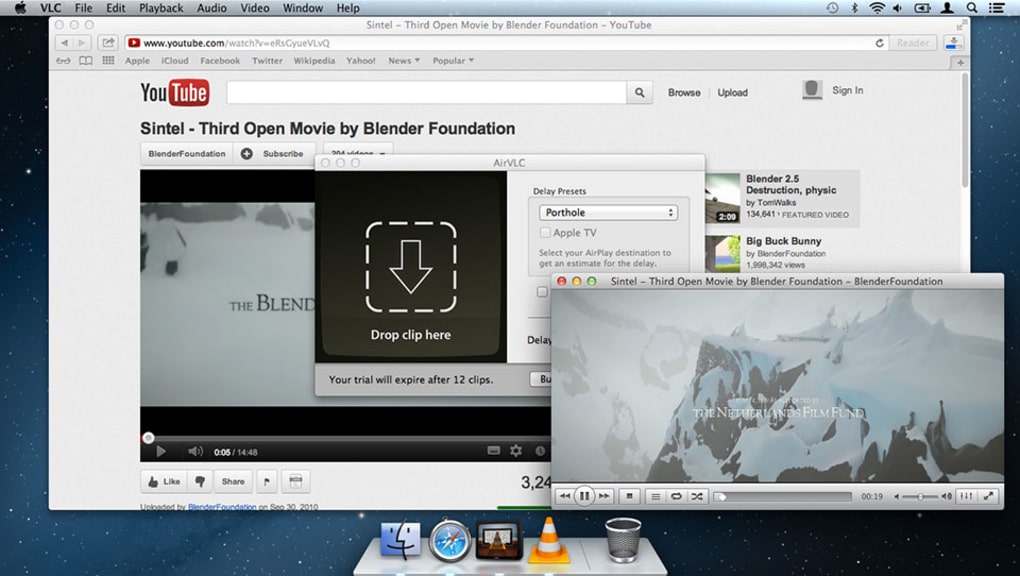
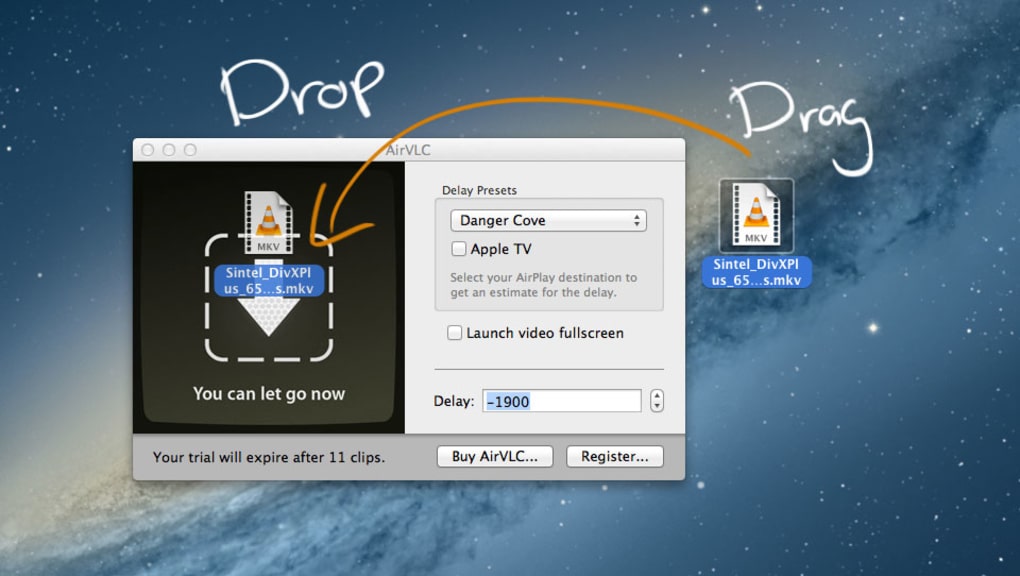
AirVLC features a clean, intuitive user interface that prioritizes ease of access and minimal distractions. The main dashboard provides clear visual indicators for active connections, streaming status, and network performance. Navigation is straightforward, with a central control panel that allows users to manage incoming streams, adjust playback settings, and monitor connection quality.
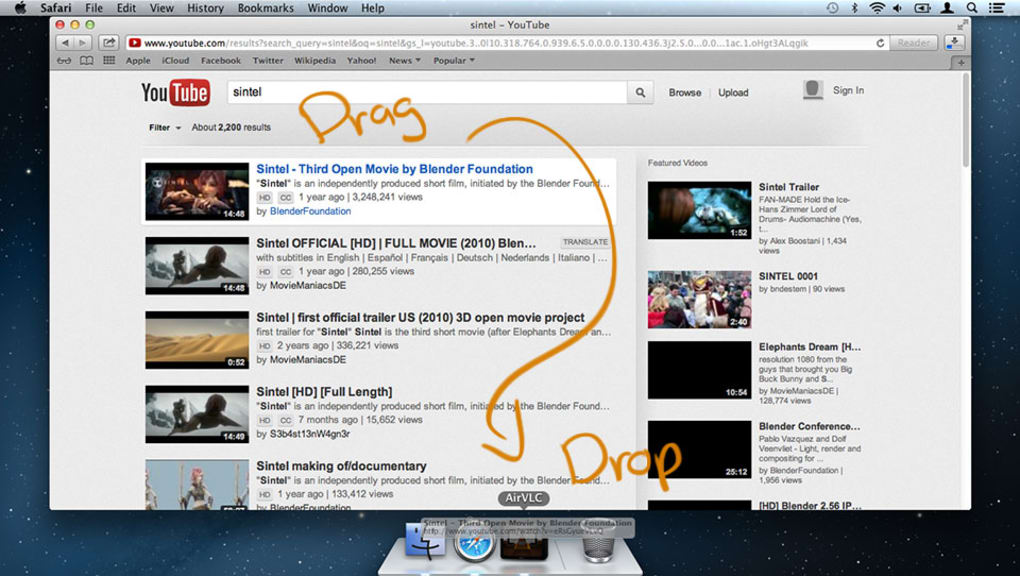
The workflow is designed for efficiency—once installed, the application automatically detects available devices on the same network, reducing setup time to just a few seconds. Users can initiate a stream with minimal configuration, making it accessible even to non-technical individuals. The software maintains consistent performance during extended sessions, with no reported crashes or freezes in standard usage scenarios.
The developer did not specify resource usage details. Performance observations are based on general software behavior patterns. Stability appears to be maintained under normal conditions, and the application does not exhibit excessive background activity. Users can expect smooth playback and responsive controls, particularly when streaming high-definition content over a stable Wi-Fi connection.
Compatibility & System Requirements
AirVLC is compatible with both Windows and Mac operating systems, ensuring broad accessibility across personal computing platforms. The current version is 2.1.0, with an installation size of 28.4 MB, indicating a compact and lightweight footprint. This small file size suggests efficient coding and minimal bloat, which contributes to faster installation and lower storage requirements.
Exact system requirements were not listed. Compatibility information was partially provided. The software is designed to function on modern desktop systems, but users should ensure their devices meet the baseline standards for running a media streaming application. The absence of detailed hardware specifications means that users should rely on general system health indicators—such as sufficient RAM, an active network connection, and up-to-date OS updates—to ensure optimal operation.
Pros and Cons
Pros
- Lightweight installation at just 28.4 MB
- Supports wireless streaming from multiple device types
- Advanced encryption ensures secure data transmission
- Low-latency playback ideal for live content
- Intuitive interface with minimal learning curve
Cons
- No detailed system requirements provided
- Resource usage patterns not disclosed
- Price point may be high for casual users
- Limited information on supported media formats
- Offline functionality not confirmed
FAQ Section
Is AirVLC compatible with Windows and Mac?
Yes, AirVLC is designed to run on both Windows and Mac operating systems, providing cross-platform support for seamless media streaming.
Does AirVLC require an internet connection?
AirVLC operates over local Wi-Fi networks and does not require an internet connection for streaming content between devices on the same network.
Is the software secure?
Yes, AirVLC uses advanced encryption to protect data during transmission, ensuring that streamed media remains private and secure.
How often are updates released?
Updates are released periodically to improve performance, fix bugs, and enhance compatibility. The current version is 2.1.0, released on May 10, 2024.
Can I use AirVLC offline?
While the application can function without internet access, its primary use case relies on a local network. The availability of offline streaming features is not explicitly confirmed.
Final Thoughts
AirVLC stands out as a practical and secure solution for users seeking cable-free media streaming to their desktop. Its lightweight design, combined with strong encryption and low-latency playback, makes it a reliable choice for both personal and professional use. While some technical details remain unspecified, the software delivers a smooth and intuitive experience that aligns with modern digital needs.
It is particularly beneficial for professionals who conduct remote presentations, educators who share content in classrooms, and families who enjoy streaming media together. The combination of performance, security, and ease of use positions AirVLC as a strong contender in the desktop media streaming space.
Download AirVLC now







